



Booking requests
Collect the tattoo idea, placement, size, references, preferred dates and artist in one structured brief.
Take a tattoo from first enquiry to final session with the booking request, client, artist, references, appointments, deposit and progress kept in one connected workspace.
Free for 1 team member · 20 clients · 20 appointments per month
No credit card required · Paid plans from $18 / month
Purpose-built
For tattoo studios and artists
Use anywhere
Web, iOS and Android
Start clearly
Free plan, no credit card
Work together
Owners, managers and artists
Everything for the tattoo in one place
Open one project to see the complete tattoo history - from the first request and client brief to references, assigned artist, previous sessions, upcoming appointments, progress, deposits and payments - so nobody has to rebuild the story from messages, calendar notes or spreadsheets.
Before the client arrives, the artist can review what has already been done, what comes next and whether the booking is ready to proceed.
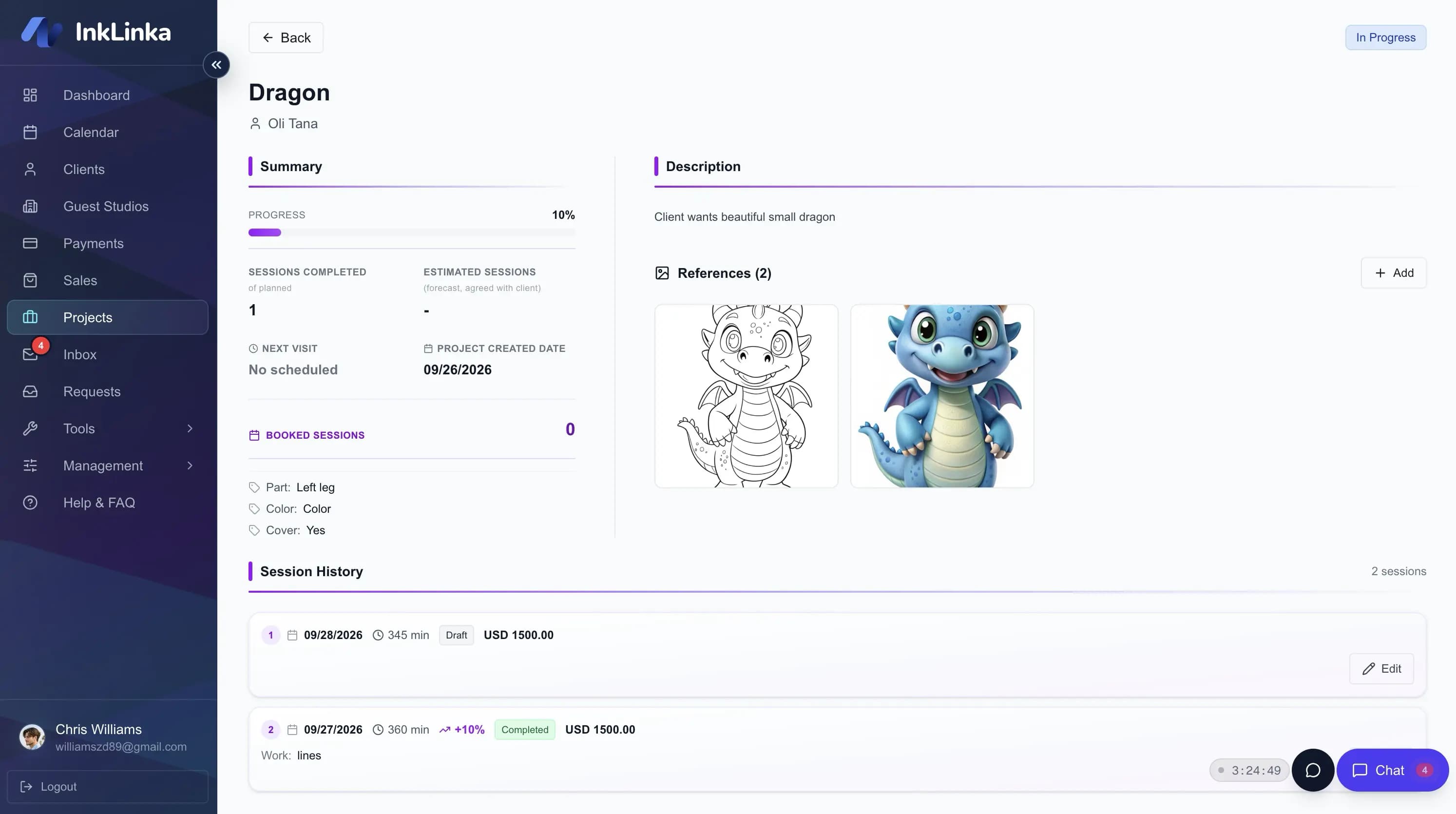
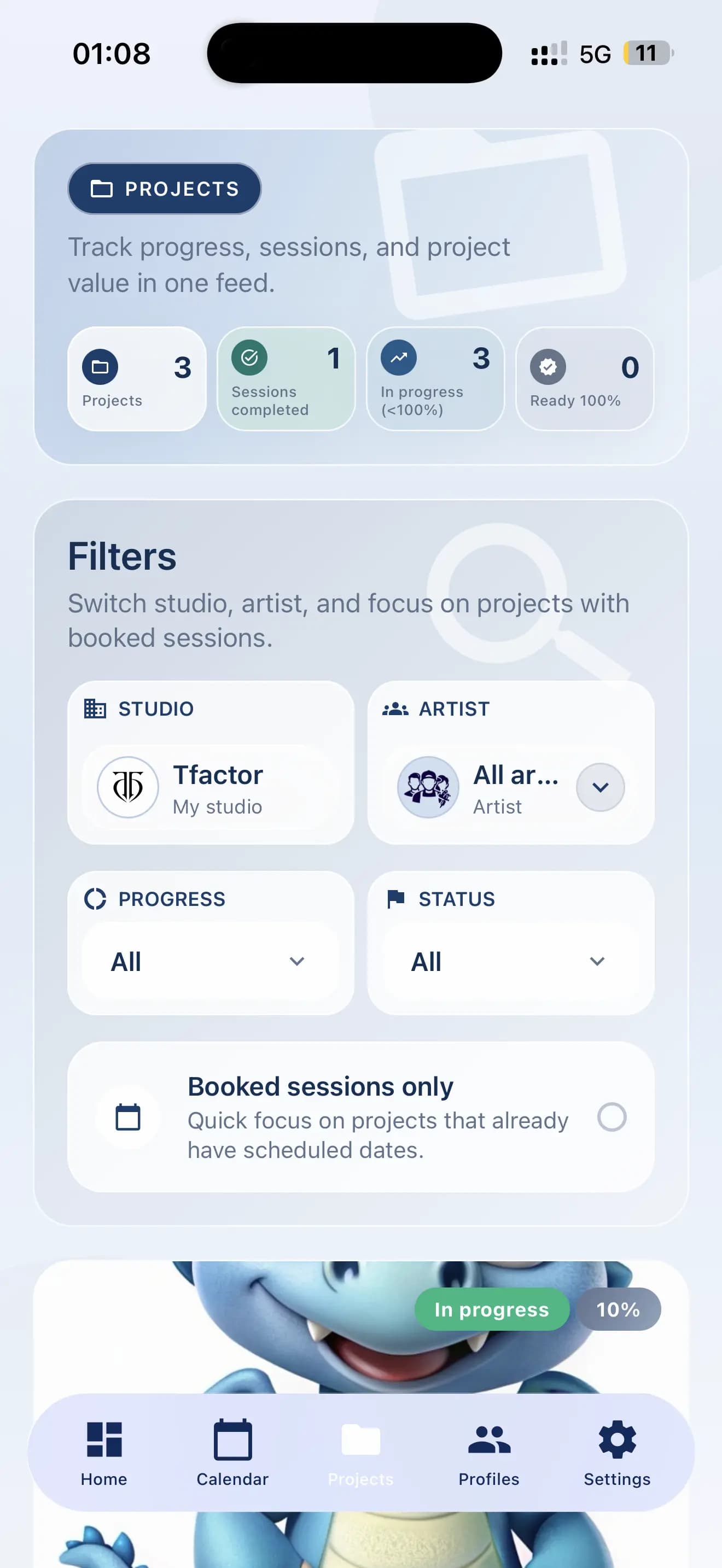
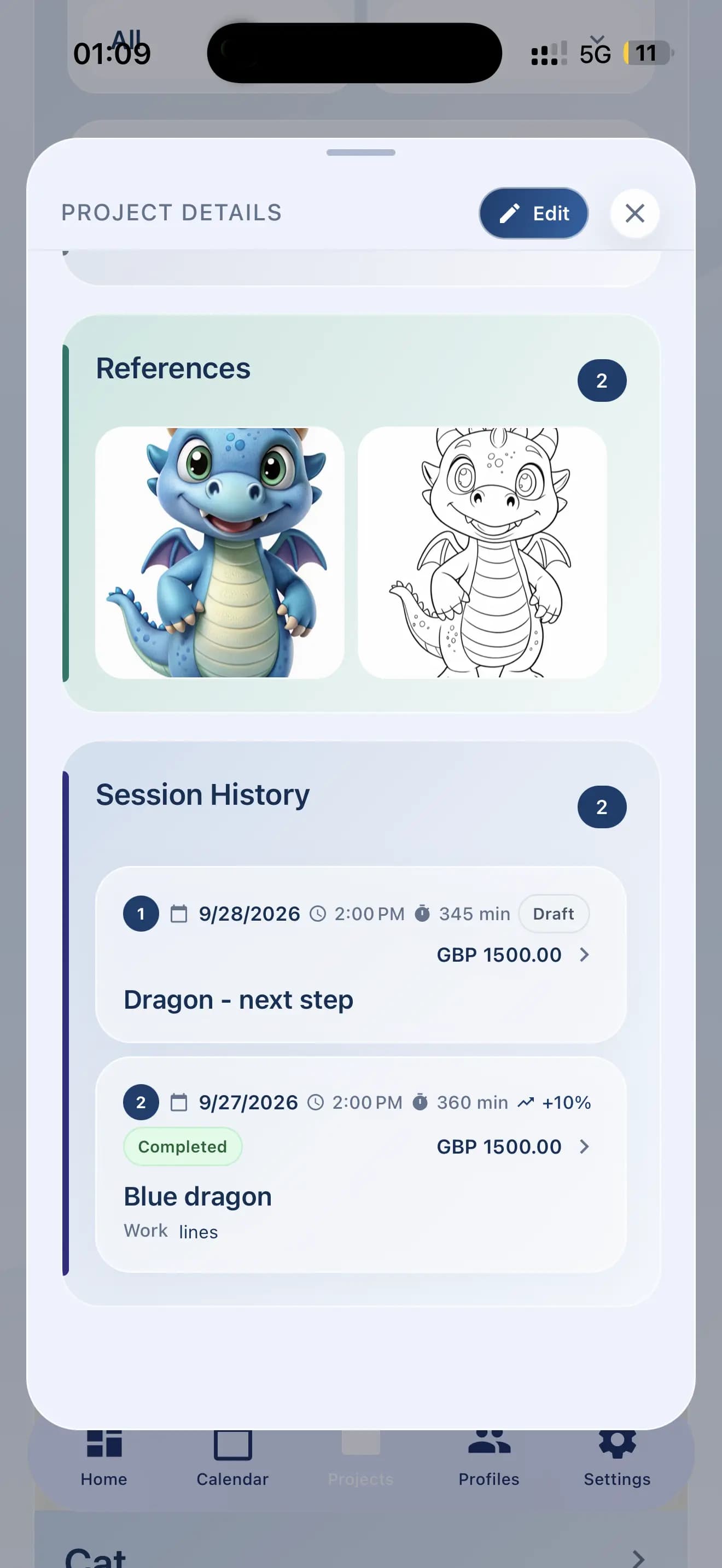
One tattoo operating system
InkLinka brings the work around tattooing into one system while preserving the project context a normal calendar leaves behind.
Collect the tattoo idea, placement, size, references, preferred dates and artist in one structured brief.
Keep the client, artwork references, appointments, sessions, progress and payment context connected.
Schedule work with the client, artist and project context attached to every appointment.
Give owners, managers, resident artists and guest artists the context they need to do their part.
See payment readiness beside the project and appointment instead of tracking it in a separate sheet.
Surface requests awaiting a reply, unfinished projects and clients who may be ready to rebook.
From enquiry to booked project
Collect the client’s idea, placement, size, references, preferred artist and dates in one request. Review it once, then create the client, project and appointment without copying details from messages.
Every detail follows the request: client, references, assigned artist, appointment, deposit and session history - all connected in one workspace.
Widget Requests
Manage client requests from widgets and personal links
Payment method: Stripe (online)
Fine-line floral cover-up on the forearm. Black and grey with two reference images.
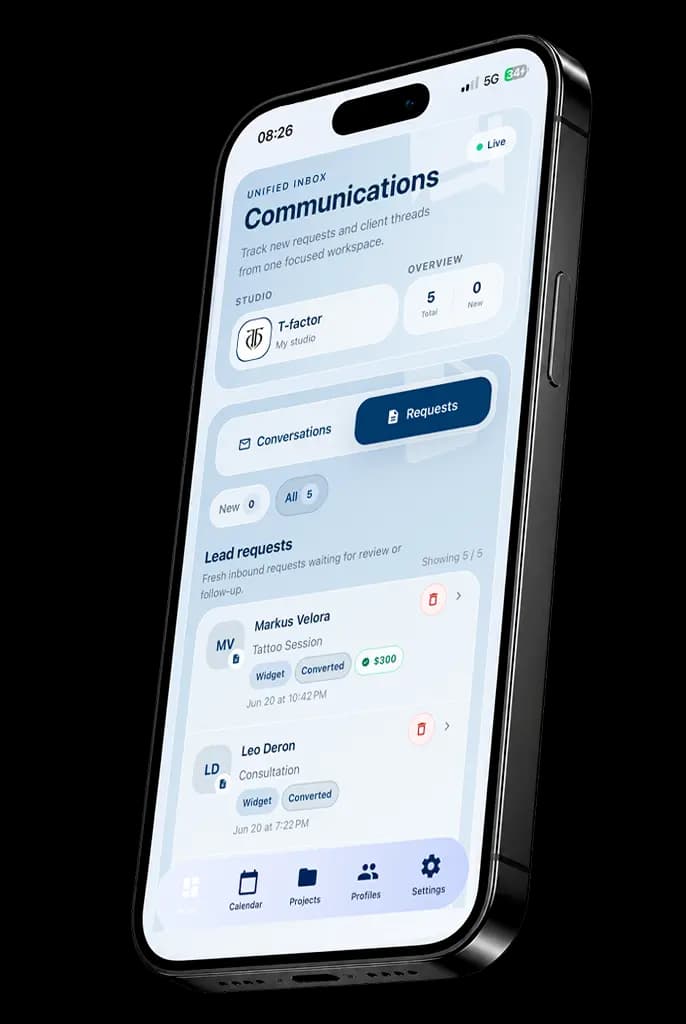
Interface preview based on InkLinka booking request fields. Sample data shown.
Studio Calendar
Every appointment stays connected to the client, tattoo project and session history instead of becoming an isolated calendar event.
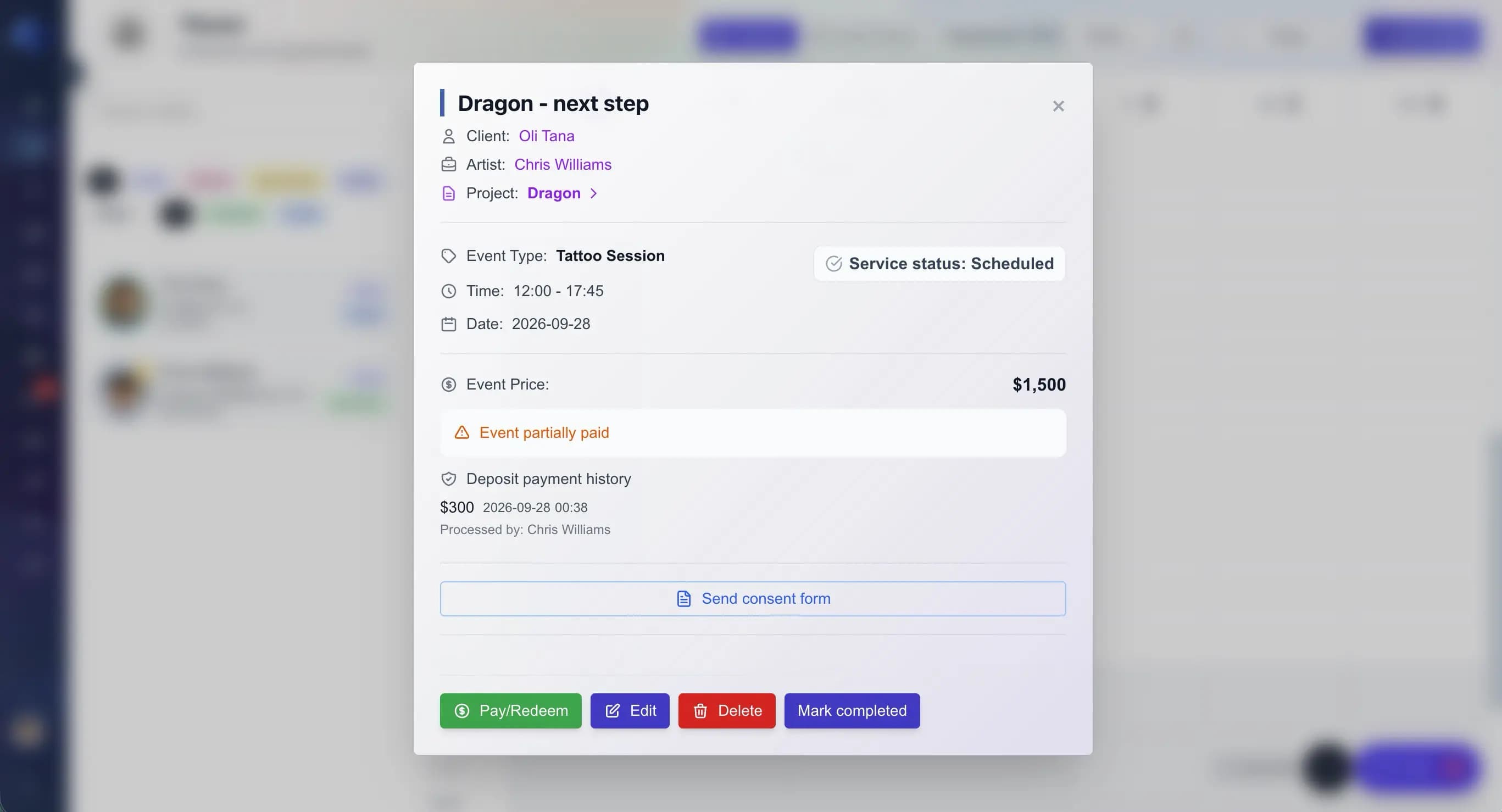
Current InkLinka Calendar layout with sample appointments.
Business Analyst
InkLinka already understands your studio history - open leads, unfinished projects, past sessions and clients who may be ready to return. It finds the strongest opportunities and recommends the next action for each one.
See what needs attention today, what can wait and how to bring each client back - so valuable work never disappears in old messages or forgotten project lists.
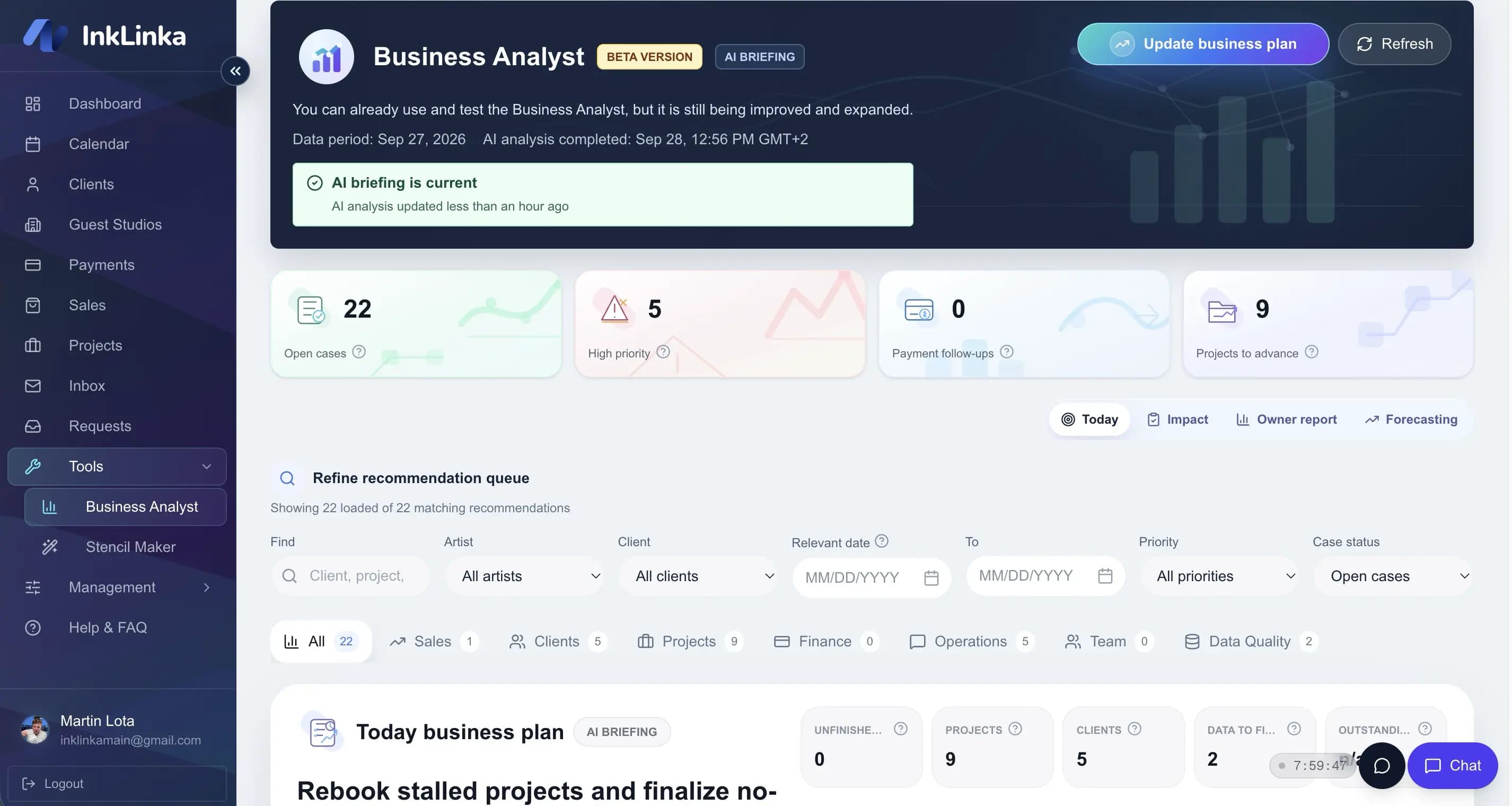
Current InkLinka Business Analyst layout with sample recommendations.
A tattoo management software workflow carries the project context forward instead of treating every session as an isolated event.
See bookings, projects, payments and studio activity.
Handle requests, appointments, deposits and team workflows.
Keep projects, references and session history organized.
Work with selected bookings and project context without disrupting the studio workflow.
Made for real studio work
InkLinka combines everyday studio operations, connected payments and mobile access in a product created specifically for tattoo businesses.
Run the day from the web and stay connected to appointments, clients and projects on iOS or Android.
Stripe-connected deposits and payments remain linked to the client, appointment and tattoo project they belong to.
InkLinka is owned and operated by Inklinka Technologies OÜ, with clear company and product information.
What happens after Start Free
InkLinka tells you what to set up next. You do not need a credit card to create the Free workspace.
Let’s set up your workspace. You can change these details later.

Tell us about yourself!
A few basic details will help us prepare your workspace
Accounting currency *
Confirm this carefully. New invoices, payments and reports will use this currency.
Your details
Studio Name *
No studio yet? Use “My workspace” or your artist name.
Tattoo studio management software brings booking requests, clients, tattoo projects, artists, appointments, sessions, deposits, payments and communication context into one operational system.
Normal booking software usually centers on a calendar event. InkLinka centers on the tattoo project and connects each appointment to the client, artist, references, deposit and session history.
InkLinka has a Free plan. Paid plans currently start at $18 per month, with Pro AI at $34 per month and Expert AI at $69 per month. See the pricing page for current plan details.
Yes. The Free plan supports solo mode with 1 team member, up to 20 clients and up to 20 appointments per month. You can upgrade when you need more people, capacity or studio tools.
No credit card is required to start on the Free plan.
Yes. InkLinka supports studio owners, managers and multi-artist workflows with bookings, projects and appointments connected to the right artist.
Yes. InkLinka supports guest artist workflows so selected bookings and project context can be organized without disrupting the main studio workflow.
Yes. InkLinka is available on the web and through iOS and Android mobile apps.
Yes. You can keep using the channels your clients prefer while storing the important booking, client and tattoo project context in InkLinka.
After email verification, InkLinka asks for the workspace owner details, studio name and currency. You can then enter the workspace and begin organizing the first client, project or appointment.
Migration needs depend on your current tools and data format. Contact InkLinka before relying on an automated import so the team can confirm the appropriate setup for your studio.
Payment management and deposits are included in paid plans. InkLinka keeps their status connected to the client, tattoo project and appointment instead of tracking them as separate records.
Start with the Free plan and bring bookings, projects, artists, sessions, deposits and payments into one connected workspace.
Start FreeNo credit card required
Tattoo studio management guide
A practical look at how InkLinka helps tattoo studios organize enquiries, multi-session projects, artists, appointments, deposits and client history as the business grows.
A useful tattoo booking request captures more than a name and preferred date. InkLinka keeps the tattoo idea, placement, approximate size, reference images, artist preference and availability in one structured brief. The studio can review the whole request before offering a consultation, asking a follow-up question or approving the work.
Clients can still contact the studio through the channels they already use. The important operational details move into one shared record, where the team can distinguish new enquiries, requests awaiting a reply and work ready to book. This reduces repeated questions and makes the next action clear without searching Instagram, WhatsApp and email.
Large tattoos, sleeves, cover-ups and backpieces rarely fit into a single appointment. InkLinka treats the tattoo as a project and connects the original brief, client, assigned artist, references, placement, estimated sessions, completed work, upcoming appointments, progress and payment context.
Before the next session, the artist can see what has already been completed and what is planned next. After the session, the studio can update the history and progress instead of leaving that knowledge in calendar notes or private messages. The result is continuity across the full project, even when the work continues for months.
Owners, managers, resident artists and guest artists need different views of the same studio workflow. InkLinka connects each booking and tattoo project to the responsible artist while keeping the wider schedule understandable for the people coordinating the studio.
For a guest spot, the studio can organize selected dates, client requests and project details before the artist arrives. Managers can see which bookings are ready, which still need information and which are waiting for a deposit. Artists get the context required for their work without relying on a separate message thread for every handoff.
A deposit is part of booking readiness. InkLinka keeps deposit and payment status beside the client, tattoo project and appointment, so the team can check whether a session is ready to proceed or still needs follow-up.
Connecting the payment to the work removes the ambiguity created when the schedule lives in one tool and deposits are tracked in a spreadsheet or chat. Before an appointment, the studio can review the booking and its payment context together. Afterward, the payment history remains attached to the relevant client and project.
Useful client history shows more than contact details. InkLinka brings together requests, tattoo projects, references, appointments, completed sessions and payment context, giving the team a reliable picture of the relationship with each client.
That history helps a manager answer with context, identify unfinished work and recognize when a client may be ready to return. If another team member takes over the conversation, they can understand what happened previously and what should happen next. Follow-up becomes consistent, and valuable rebooking opportunities are less likely to be forgotten.