


Your studio’s social channels in one Inbox
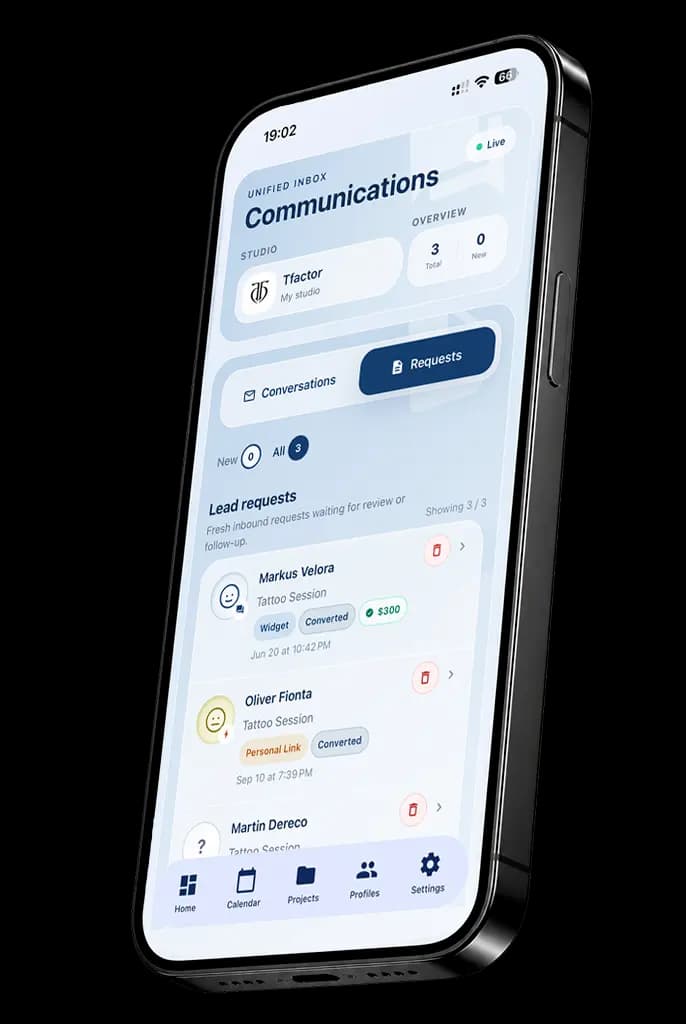
Your social conversations in one Inbox. Client history in view. Lyra helps with routine work.
Ask Lyra
Your AI agent for everyday studio work.
Need to book a session, find a client’s project or handle routine work? Just ask Lyra, your AI agent. She helps you get it done faster; you confirm the changes.
Lyra works the same way on mobile devices and computers.
Instagram, WhatsApp and your other channels in one Inbox. Open a conversation and see the linked client’s history and internal rating.

Studio-controlled access
Your manager needs one account — InkLinka.
The owner manages the studio’s connected channels.
Your manager works from their own InkLinka account, without direct access to the studio’s social accounts. Messages and actions are recorded: see who replied, what they wrote and what they did.
You don’t need to share your studio’s social account passwords for staff to reply from InkLinka.
InkLinka Inbox
Before you connect
Which channels can I connect and reply from?
Inbox brings together Instagram, WhatsApp, connected email, InkLinka website chat and contact forms. Facebook Messenger for a studio’s Facebook Page is also planned; availability will depend on rollout and connection settings. Reply through a connected channel with the required staff permissions. Contact form replies go to the client’s email through a connected mailbox. A website chat must still be open. Social channels may limit when you can reply; connecting an account does not remove provider restrictions.
How does InkLinka link the same client across channels?
Conversations are linked to CRM clients by saved email, phone or Instagram contact details. Similar names do not merge people. Staff resolve ambiguous matches manually. Linking gives access to the client card, saved request history and visit and project information within your permissions. Old messages and attachments are limited to data received and retained by the system; complete pre-connection history is not guaranteed.
What does the internal client rating mean?
The rating is an internal team assessment from 1 to 5, shown by a coloured avatar. A linked client without a rating is shown as unrated; a question mark means the sender has not been identified or the match needs clarification. These are different states. Ratings are not public studio reviews and are not automatically assigned by Lyra.
What can Lyra do with appointments, and when must I confirm?
Lyra can find appointments and client projects, check artist availability and prepare eligible bookings, rescheduling or cancellation. Reading client conversations and other protected sources requires your consent and access rights. Changes require a separate confirmation, with permissions and availability checked again. Rescheduling preserves duration; without a new time, the existing time is retained. Multiple matches require you to choose the right record. Lyra cannot cancel appointments linked to deposits or payments, or issue refunds. A prepared client reply can be edited; sending it is a separate confirmed action.
Does my manager need the studio’s social account passwords?
Not to reply through channels already connected. Staff sign into their own InkLinka accounts. The owner or an authorised employee sets up connections; roles and permissions define work access.
What determines access to connections and Lyra?
Availability depends on the studio plan, enabled features, channel configuration and staff permissions. Lyra also requires access to the relevant sources, consent to read them and available AI allowance. Artist matching uses completed professional profiles; available times come from schedules and existing appointments. A channel icon on this page does not mean the channel is already connected to your studio. Facebook Messenger is planned and will be available only after rollout and setup.
Can my team use Inbox and Lyra on both phones and computers?
Yes. Inbox and Lyra support work on mobile devices and computers. Your account, selected studio, connected channels and permissions determine access on both. The layout adapts to the screen; using a different device does not grant extra permissions or remove confirmation requirements.
Does the demonstration send real messages or use live studio data?
No. The example uses fictional clients and local sample conversations. Replies in the Inbox example change only this demonstration. Both Lyra preview chats have message entry and sending disabled and do not generate replies. AI analysis and translation buttons are also inactive here. Real conversations and available actions require signing in and configuring the studio’s channels and permissions.
Inbox · InkLinka
From the first message to a reschedule — in one Inbox.
Client history in view. Your team replies from InkLinka. Lyra helps with artist and appointment questions right in the conversation.