



Tattoo studio calendar
Keep the project context inside every tattoo appointment.
A tattoo session is more than a date and time. InkLinka connects appointments with clients, artists, projects, references, deposits and session history, so the team can see what each session is about.
11:30
12:00
12:30
13:00
13:30
14:00
14:30
15:00
15:30
16:00
16:30
17:00
17:30
Tattoo Session
12:00 - 17:00
Koi sleeve shading
Partially paid
Mira Solen • Anna ...
Koi sleeve shading
$200 2026-06-18 10:15
Processed by: Marta Lowe
Second session for koi sleeve: refine stencil placement, shade peonies, prepare blue-grey wash set and review the project references before the client arrives.
Studio owner
incoming messageProblem: “We use Google Calendar and the appointment is booked, but the artist still asks the manager what they are doing and which references to use, so we have to send everything separately in messengers.”
Calendar context
A regular calendar, like Google Calendar or a general CRM calendar, can show when the session starts. It usually does not show the full tattoo context.
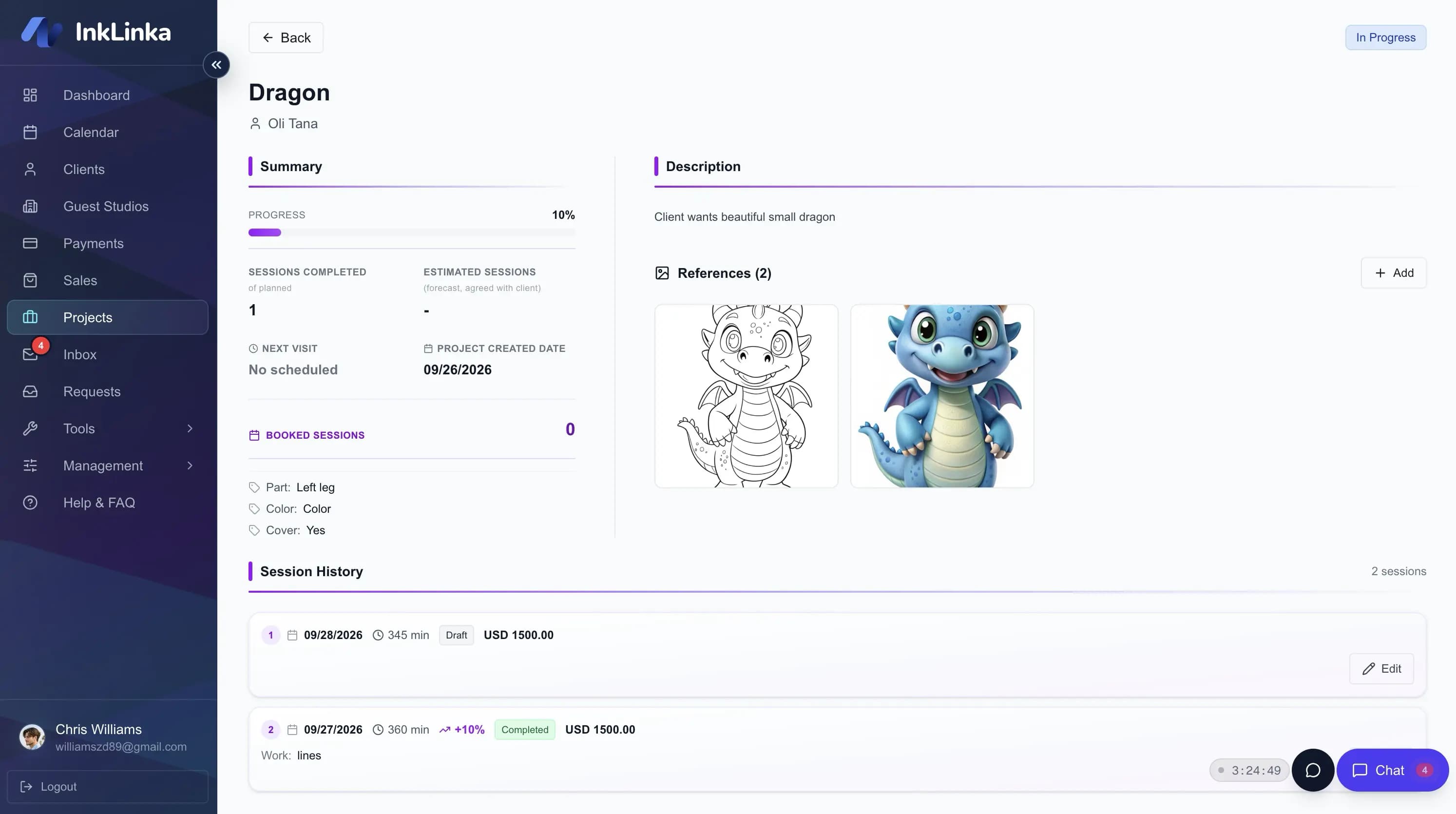
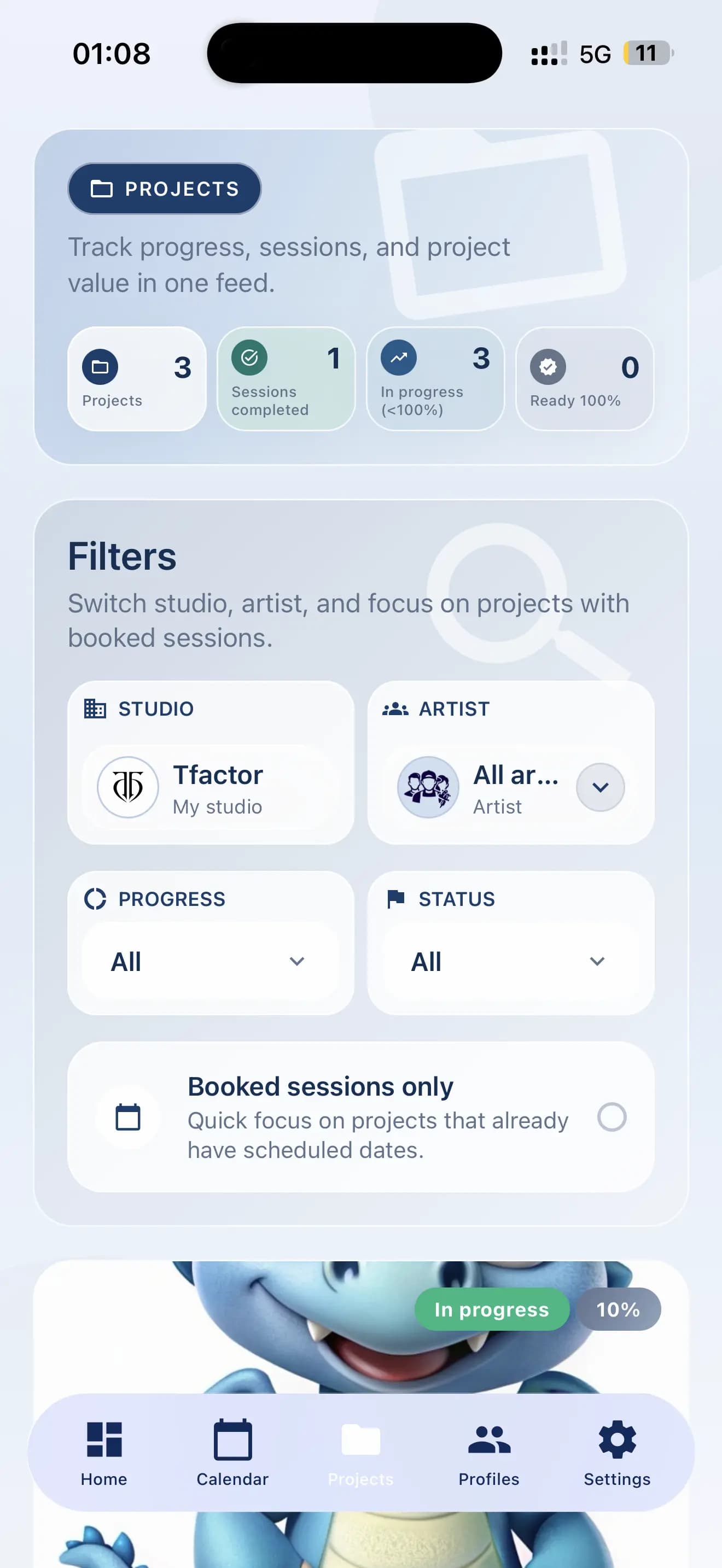
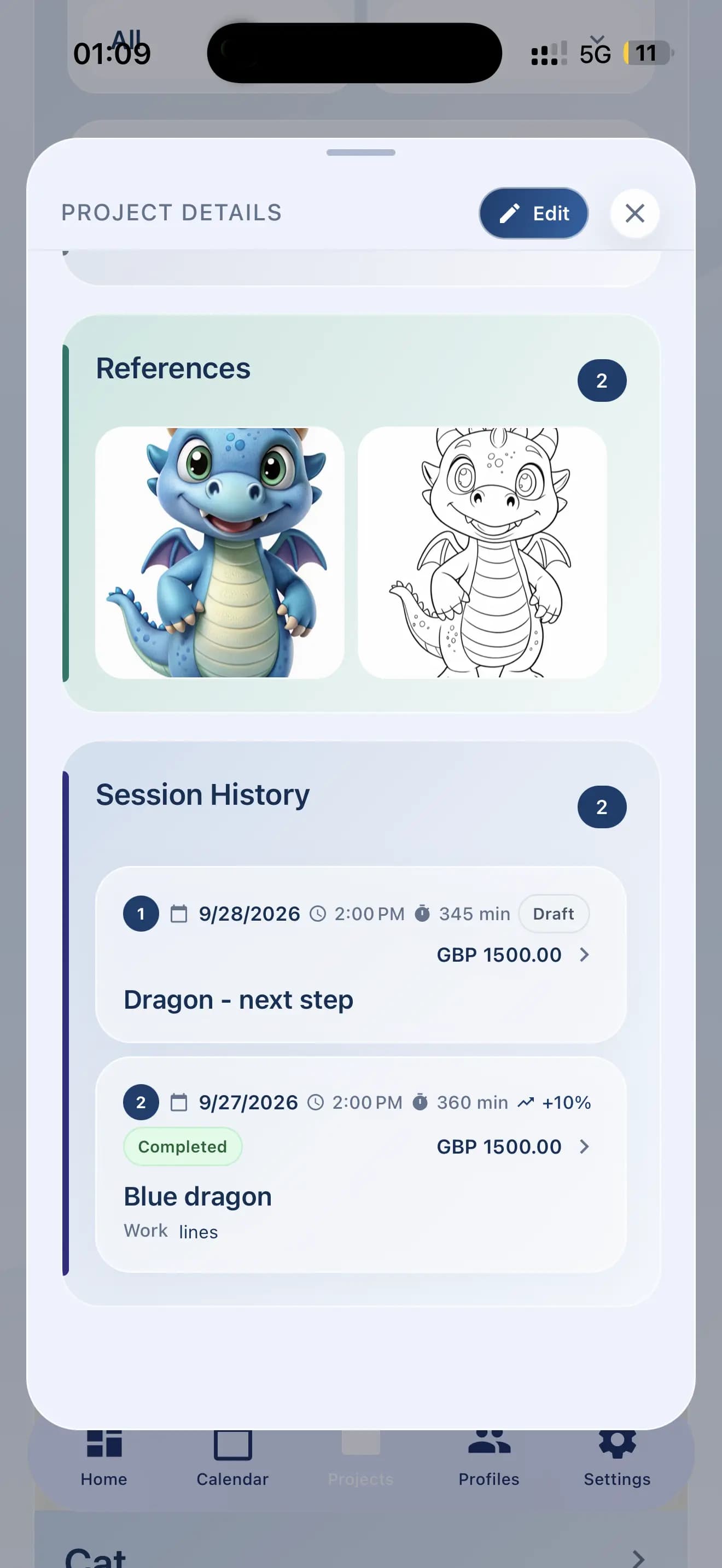
Solution: In InkLinka, the appointment can be connected to the related tattoo project. The team can open the session and see the client, project, references, placement, notes, artist and session history in one place. The artist can also open the booked session and project from their mobile workspace.
Studio owner
incoming messageProblem: “Before the session, we often need to search for references in Instagram, WhatsApp, folders or screenshots.”
References
References should stay with the tattoo project, not only in messages.
Solution: InkLinka keeps project files, reference images, notes and session information connected to the project. When the appointment is linked to that project, the team can find the preparation materials faster.
Studio owner
incoming messageProblem: “Our manager knows where everything is. But if they are away, it becomes hard for another person to continue.”
Studio handoff
The studio should not depend on one person remembering every connection.
Solution: InkLinka keeps the main operational context inside the system: clients, projects, appointments, artists, references, deposits and session history. This makes handoff easier when the team grows or when a new manager joins.
Context comparison
Before and after connected context
Setup support
Test it with your real studio workflow.
Create a few artists, clients, projects and appointments. Attach references, check how deposits and project context work, and decide if this setup fits your studio.
If you need help, you can use the internal support chat. We can guide you through the setup.
FAQ
Practical questions before testing InkLinka
Can InkLinka replace our current calendar?
InkLinka is designed to add tattoo-specific context around appointments: clients, projects, references, deposits, artists and session history. You can test whether it fits your current scheduling workflow during the trial.
Can artists see what they need to prepare?
Yes. When an appointment is connected to a project, the artist can see the related client, references, notes, placement, project stage and session details.
Does InkLinka help with references stored in chats?
InkLinka keeps reference images and project files with the tattoo project, so the team does not need to rely only on Instagram, WhatsApp, screenshots or folders.
Can a new manager understand what is going on?
InkLinka helps keep the main connections between clients, projects, appointments, deposits and artists in the studio system, which makes handoff clearer.